Posts tagged ‘black and white photography’

Switching from Leica to Fujifilm …… well not exactly

I rarely write about camera gear but I thought I would make the topic of this post an exception. I never thought I would arrive at this particular juncture and I would like to explain how and why this came about. If you don’t think this is likely to be of interest to you then I would simply urge you to go the end of this post and read the final paragraph.
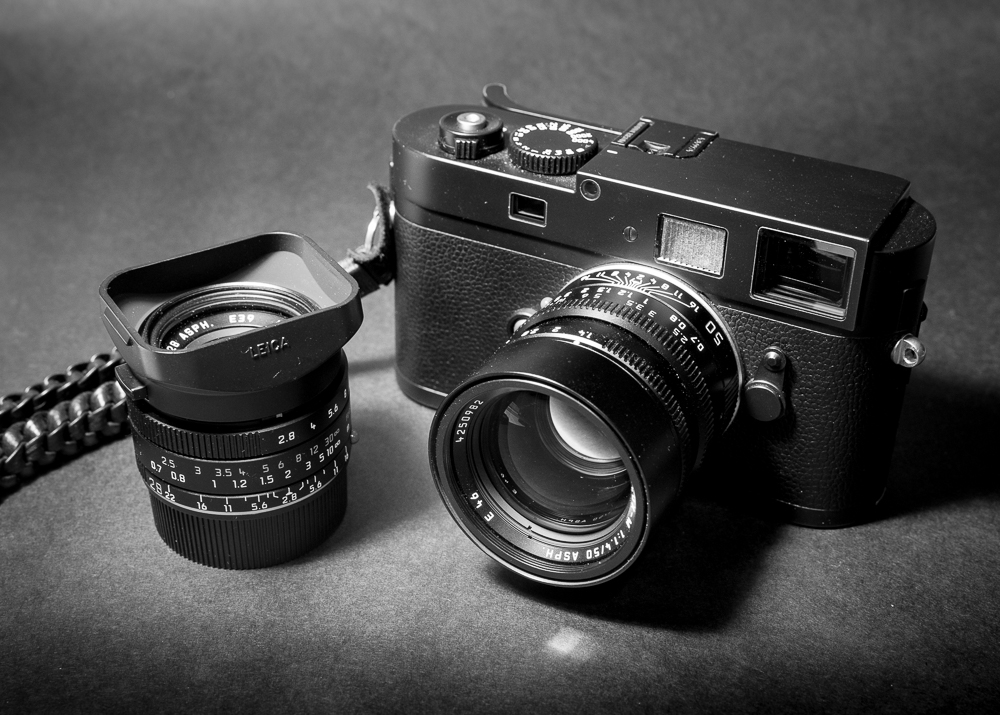
Leica M Monochrom with 50mm and 28mm lenses

I think I should start at the beginning. Ten years ago having decided that black and white photography was my creative passion, I threw caution to the wind and totally embraced B&W by purchasing a second hand Leica M Monochrom together with two prime lenses – a 50mm Summilux and 28mm Summarit. I later added some additional primes – 90mm Summarit, 35mm Summilux and a Zeiss 18mm plus a Leica SL by way of a second body but with very different functionality. I was working then, earning well and photography was my hobby; it still is. Yes it was an indulgence, but no more so than many other expensive hobbies and nothing like as costly as having a classic sports car or small boat. As much as I love the Monochrom (and still do) it does have its quirks and limitations. Over the years this combination of equipment gave me the opportunity and inspiration to make some images which I will always treasure.

There are though occasions in life when the temptation to acquire another gadget is hard to resist. I don’t know any serious photographer who hasn’t suffered from GAS (Gear Addiction Syndrome) at one stage or another. I have to admit I am no different.
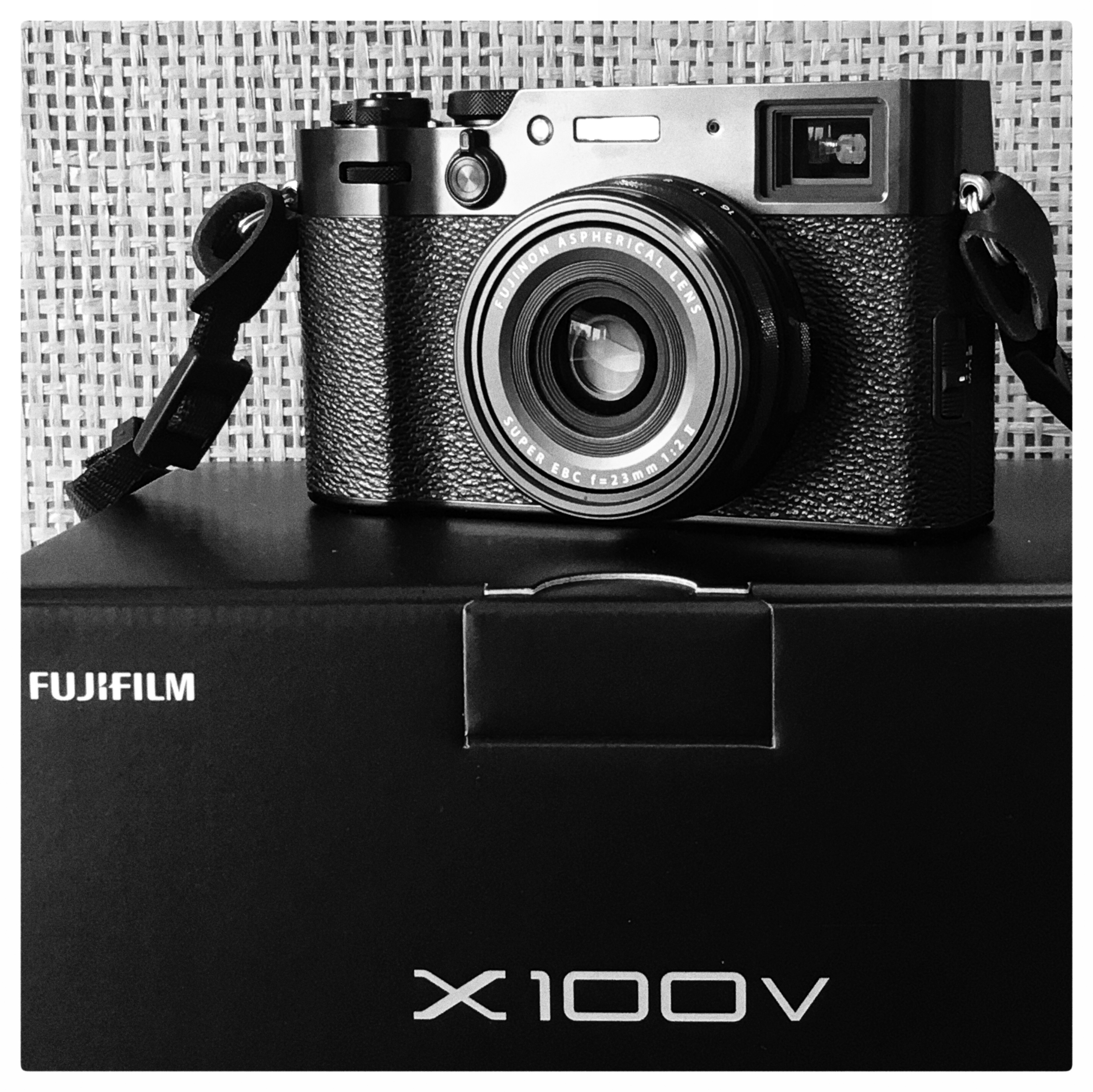
Fujifilm X100v

Two years ago just before the UK went into its first Covid Lockdown I bought a Fuji X100v. I had always wanted a smaller, lightweight version of my Leica Monochrom which still offered good quality RAW files. Its rangefinder form factor appealed to me as it is very similar to the Leica M. In addition to its sharp and fast 23mm F2 fixed prime lens (equivalent to 35mm in full frame terms) it offers the choice of an optical viewfinder as well as an EVF. I was also keen to try for myself the Fuji Film Simulations and in particular the Acros for B&W with the added choice of a red, yellow or green filters. You may wish to read some of my other posts about the X100v – Fujifilm X100v and Capture One first thoughts and The Fuji X100v has arrived – first outing.

I enjoyed using the X100v and it introduced me to the possibilities of colour. Fuji are well known for their colour technology and with time on my hands during Lockdown I familiarised myself with CaptureOne to process the RAW files.

At about the same time I wanted to explore the possibility of having a telephoto lens which would give me greater reach. I found the 90mm to be too limiting in certain situations. The Leica L Mount 90-280mm would fit the bill but not at a cost of nearly £5,500. At less than half the price (£2,600) Panasonic offer a 70-200mm zoom lens but whilst more affordable (just) both these lenses are large and heavy to lug around. The Leica SL camera is a heavy beast in its own right – there had to be an alternative. Not only was weight a factor but the lack of an articulating screen on the SL was a disadvantage when using the camera on a tripod, particularly at low level.

Having enjoyed the little Fuji X100v and knowing a number of people who were more than satisfied with Fujifim’s XT range of cameras I thought I would way up the pros and cons of changing to a lighter set up. After much research I bought a Fujifilm X-T3 and three zoom lenses – 10-24mm, 16-80mm and a 55-200mm. A holy trinity of lenses, all of which are weather sealed. If I only wanted to carry one camera and one lens, the 16-80mm (24mm – 120mm) was an ideal walk around/travel option. Given the APSC crop factor of the Fuji sensor I now had a reach of 300mm. This opened up many new possibilities when framing a composition. The Leica SL, 18mm and 28mm were all sold to help cover the cost.

Fujifilm X-T3 with 10-24mm

Time marched on and whilst the three zoom lenses on the X-T3 covered most eventualities I missed using the Leica prime lenses I had retained. The 35mm, 50mm and 90mm. Being able to shoot wide open at F1.4 on the 35mm and 50mm lenses has its own creative charm not to mention the option of faster shutter speeds albeit at the expense of a shallower depth of field. To be frank I simply couldn’t bring myself to part with them. Besides I still had the Monochrom although it does need servicing.

To accommodate the use of these Leica lenses I decided to look into the possibility of buying an M Mount lens adapter which would allow me to use these primes on the Fuji X Mount. I was delighted to discover that Fuji themselves made such an adapter and I did some research to establish which lenses were compatible. Whilst not specifically listed I came to the conclusion all three lenses would work. I kept in mind the crop factor which made the 35mm a 52mm in full frame terms, the 50mm a 75mm and finally the 90mm a 135mm. They are of course all manual focus only but that doesn’t bother me. This is how I have taken images for years and I enjoy this style of photography. I like having control particularly when shooting wide open. In fact I regard myself as a manual shooter rarely relying on the camera to work out the exposure or point of focus for me.

There is one final part to this tale. The Fuji rangefinder form factor is my preferred choice of camera body style. However the X100v has a fixed focal length of 23mm. The X-T3 allows me to change lenses but is a larger camera. Combine the best of both worlds and what do you get? A Fujifilm X-E4 or X-Pro3. The X-E4 was the more attractive choice, the X-Pro3 being much larger and more expensive. So I bought the X-E4 earlier this year and also opted for the accessory kit. It provides a handgrip and built in arca swiss compatible tripod plate and together with a thumb grip, the handling is much improved. More to the point this camera is a great combination with the Leica primes. The X-E4 is very similar in size to the X100v, so these lenses do make the set up a bit front heavy, particularly the 90mm, but the combination works well for me and the results are superb. Aesthetically it looks great too. I might even apply some black duct tape over the make and model inscriptions – to make it even more discreet!

Fujifim X-E4 with Fuji X mount adapter and Leica 50mm Summilux lens

Over the last two years I have invested in quite a lot of new kit, but I have now arrived at a place where I am lucky enough to have all the bases covered and to me the best of all worlds. The camera bodies are all Fujifilm. I am more than happy with the quality of the RAW files. I am not the type of person always on the hunt for more megapixels. 26.1MP in all three cameras is a good sweet spot as far as I am concerned.

The Fujifilm zoom lenses are all excellent and whilst they are not that fast, they are sharp at their respective price point and serve a very definite purpose which is why I chose them.

Talking of lenses the Leica primes are absolutely superb. Build quality, sharpness, and speed are second to none. They are just a pleasure to use and all the time the Monochrom needs servicing the X-E4 is a first class substitute. If ever I tire of them, which I doubt, they hold their value well too.

The X100v has its place in the line up as well. Compact, it’s an ideal take anywhere camera. It also gives me a 35mm equivalent prime lens, to compliment the Leica primes having allowed for the 1.5x crop factor of the sensor.

Whilst there are some differences in the controls and functionality of the X-T3, X-E4 and the X100v, there are broad similarities so I have spent some time customising the function buttons of each camera so that the differences are kept to a minimum. This helps me when swapping from one camera to another. I suspect the X-T3 will largely be used with the zoom lenses whilst the X-E4 will best suit the Leica primes plus its a useful back up body to the X-T3 should it ever fail unexpectedly. The X100v will be in a pocket or on a wrist strap when I just want to go out and take a camera with me without compromising on quality.

There is one other key advantage. As each camera shares the same sensor, work flow and processing will be consistent irrespective of the camera used.

X100v ………. X-T3 ………. X-E4

So there it is. A very happy marriage in my opinion of Fuji bodies, their zoom lenses and renowned Leica glass. Have I switched camera systems, well no, not exactly!

I hope you have enjoyed this rather long post and if you have any comments or questions do use the comments section, and I will be pleased to respond as helpfully as I can.

Thanks as always for reading and getting this far.

I would like to finish with one final point – a quote by Ansel Adams.

“The single most important component of a camera is the twelve inches behind it.”

So whatever camera gear you own or choose to buy, do remember the gear is simply a means to an end. The acquisition of new or more equipment might enhance the pleasure of releasing the shutter and open up new creative opportunities, but the camera equipment on its own will not make you a better photographer. As Ansel Adams so succinctly put it in the quote above – when it to comes to making a great photograph, it is the creative skills of the person behind the camera that really matters.

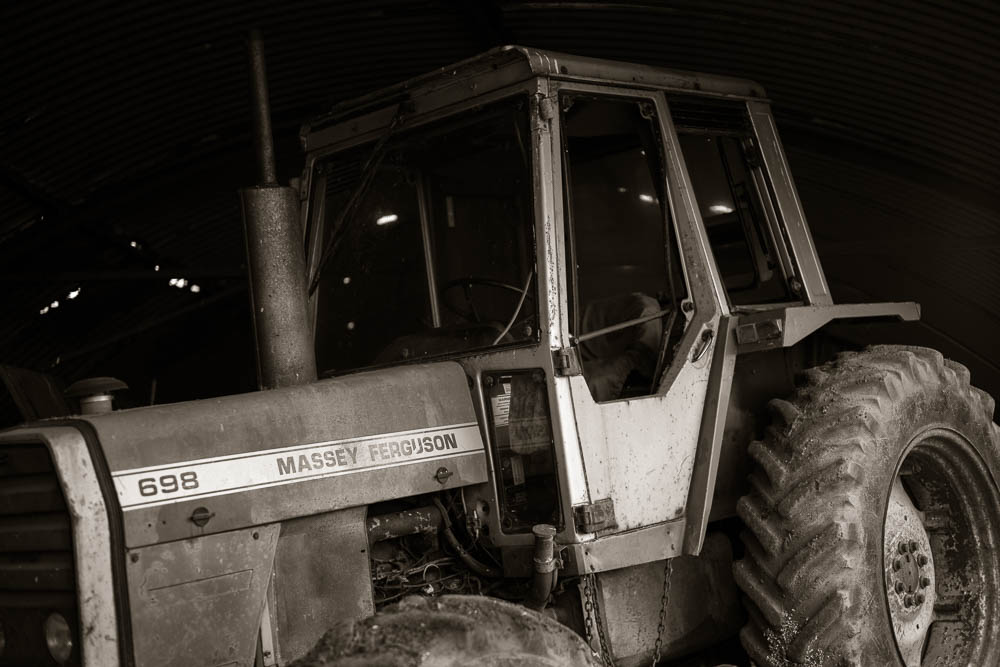
Close to my back door ….. the old tractor store.

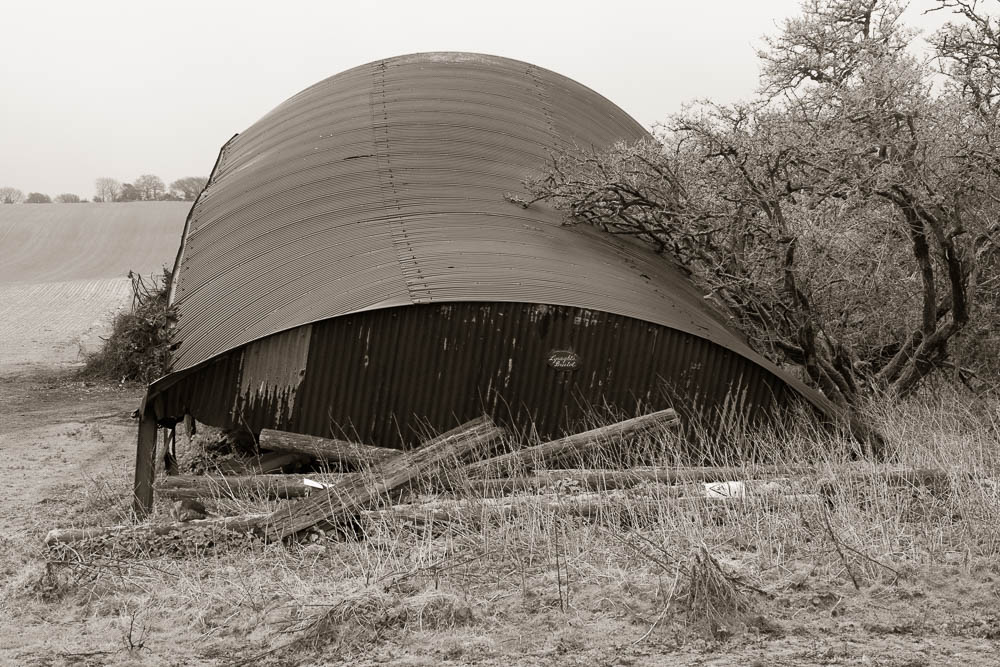
On a recent walk I stumbled upon this old steel barn which had seen better days, and was now being used to store three redundant tractors. They too were long past their prime. How long the barn and tractors had been in this state is anyone’s guess but it was a rich source of photographic material.

It was a real pleasure to wander around and uncover some details in an effort to record and capture the feeling of this place.

This collection of images forms part of my latest project – ‘Close to my back door’. There are two other entries you might like to see.

A return to my favourite genre…..and it’s close to my back door.

Close to my back door …… when the light is right.

Close to my back door …… when the light is right.

Earlier this month I posted my first entry on this blog for nearly 5 months. I am pleased this entry hasn’t taken quite so long!

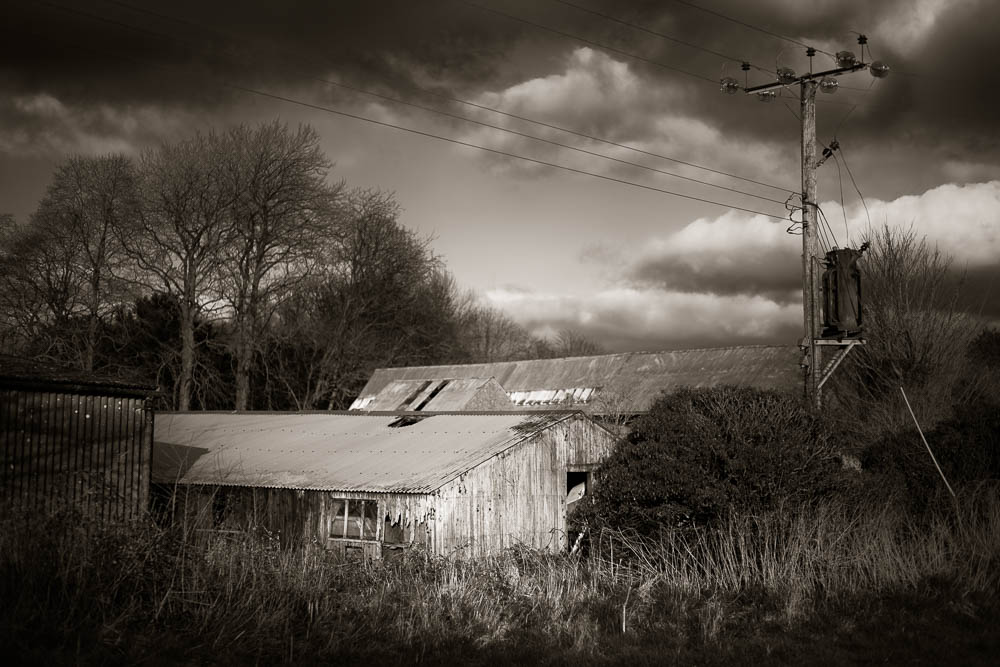
Once again the images are all of scenes which are close to my back door. This isn’t just because the current ‘Covid Lockdown’ prevent anything other than ‘staying local’ for exercise but because I truly enjoy exploring and seeing what can be photographed in my immediate surroundings. Why travel for miles and miles (restrictions allowing of course) if good subjects can be found near to home?

There is another distinct advantage to this approach which I written about before. It allows me to return to a place when I know the lighting will work to my advantage. I will have visted the location previously and then envisaged what the scene might look like at a different time of day and when the weather conditions are more conducive to create a pleasing result.

This approach doesn’t guarantee a good picture but it does improve my chances greatly. Composition, choice of lens etc can all be considered beforehand. The light just has to be right.

All of the images in this entry were taken in this way. It requires a degree of patience and the pre-visualised outcome may not always be as I would hope or expect. Over the years this approach has allowed me to think and plan ahead. When the plan comes together there is a great deal of satisfaction to be had. When it doesn’t, I learn from the experience knowing I can return another day. After all – it’s close to my back door.

My last major project was ‘Still by the Water’ which took the best part of 2 years to photograph and complete, and all the images were captured within a 10 minute drive of home. The photographs you see here are I believe the humble beginnings of another long term project.

A return to my favourite genre…..and it’s close to my back door.

It’s been a number of months since I posted an entry on this blog. Five months to be precise, which is a long time. I could bore you with a variety of reasons for my absence but that’s not really something I think you want to read about. (I have kept fit and well though and for that I am most grateful).

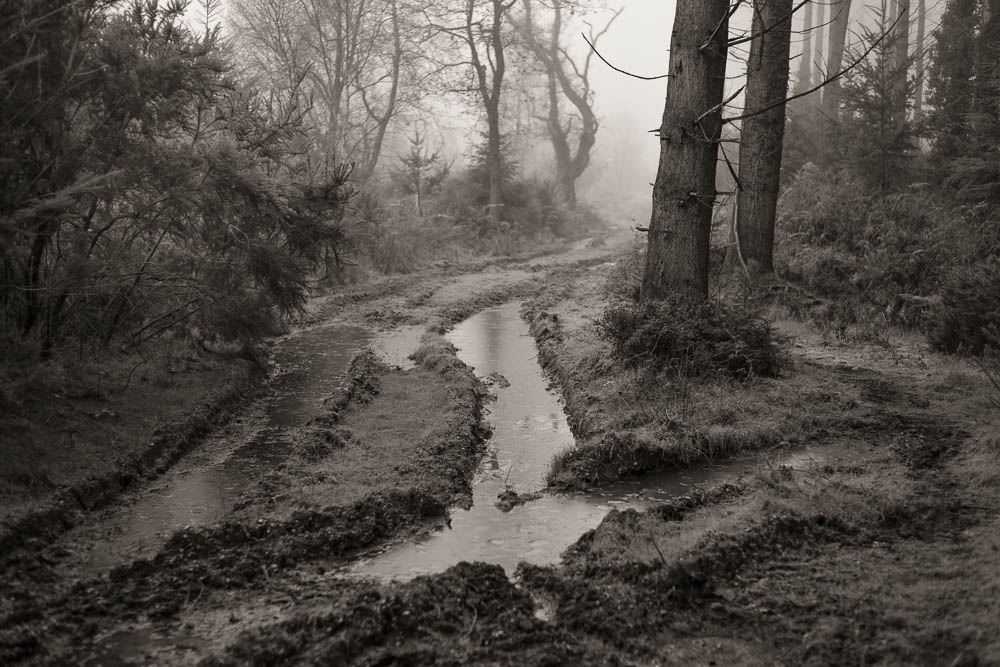
Instead I would prefer to share with you a selection of images all taken since the turn of the year. Pictures of my favourite genre, the landscape of the English countryside. Open countryside, farmland and woodland scenes.

I consider myself to be very fortunate. I love and I am inspired to photograph the beauty that is on my doorstep, which is just as well as we are living day to day through another Lockdown. This severely limits all travel except for essential reasons, and to take exercise in your local area. In fact the guidance is clear, do not leave home unless absolutely necessary.

I inted this to be the first in a series of images and blog posts. As I process and share these photographs with you I can feel a degree of excitement at the prospect of building a body of work which is harmonious in character, style and subject. I am sure it will evolve over time but as the seasons change I shall allow that to happen. Most of all I want to capture how I see the English countryside, and in particular record the raw beauty of rural scenes close to my back door.

Wherever you happen to be, stay well and keep safe.

Has Capture One Pro consigned Lightroom, Photoshop and Silver Efex to the history bin?

Leica M Monochrom

I have been quite serious about my photography for a little over 10 years now. Before then I can’t say I knew much about RAW files or how they should be processed. In the early days it wasn’t long before I was hooked on Lightroom and its sister program Photoshop.

In 2012 I regarded myself as a dedicated black and white photographer and then in 2014 I purchased a second hand Leica M Monochrom, which I still love and use to this very day. As its name suggests it is a black and white only camera. It’s an inspiring tool but not to everyone’s liking particularly given the cost of both the camera and a set of manual only focus lenses. Even today a second hand M Monochrom camera body, which is up to 8 years old, is around £3,000, assuming you can find one.

The M Monochrom was sold with a licence to use Silver Efex Pro, arguably the best plug-in for black and white processing. The fact Leica supported this program was a significant endorsement and the majority of my photographs have benefited from its use.

Time though moves on and earlier this year I purchased a Fuji X100v as a carry anywhere camera. I had read that Capture One had a close working relationship with Fujifilm and their RAW editor was a considered to be better than Lightroom. (Let the arguments begin!) I purchased a perpetual licence but this only allowed me to process Fujifilm files and not the Leica DNG RAW files.

Having watched many of the excellent Capture One webinars hosted by David Grover and very informative Live Editing sessions with Paul Reiffer, not only did I learn a great deal about Capture One in the past few months, I was starting to wonder how well it would perform if I could process my Leica RAW files. After all the Monochrom is the camera I use for what I consider to be my best work.

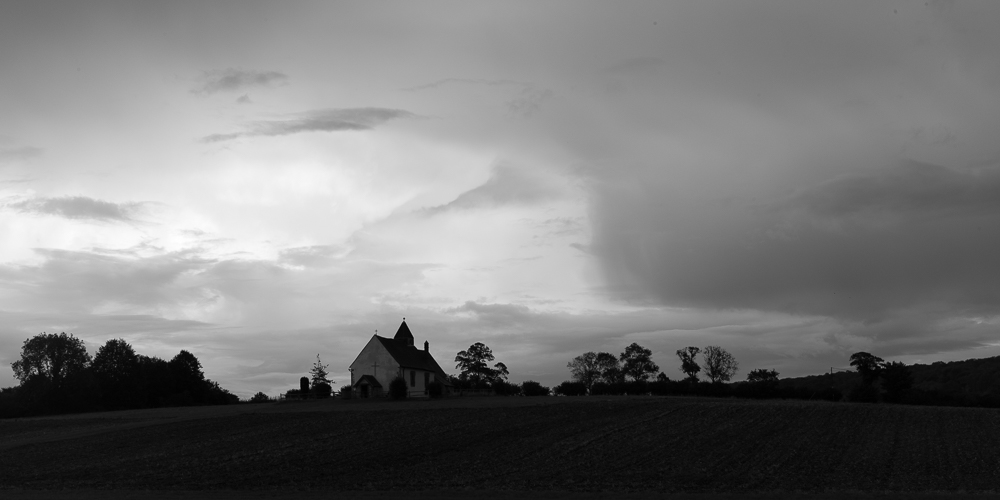
The original RAW file cropped to a ‘2 x 1’ aspect ratio.

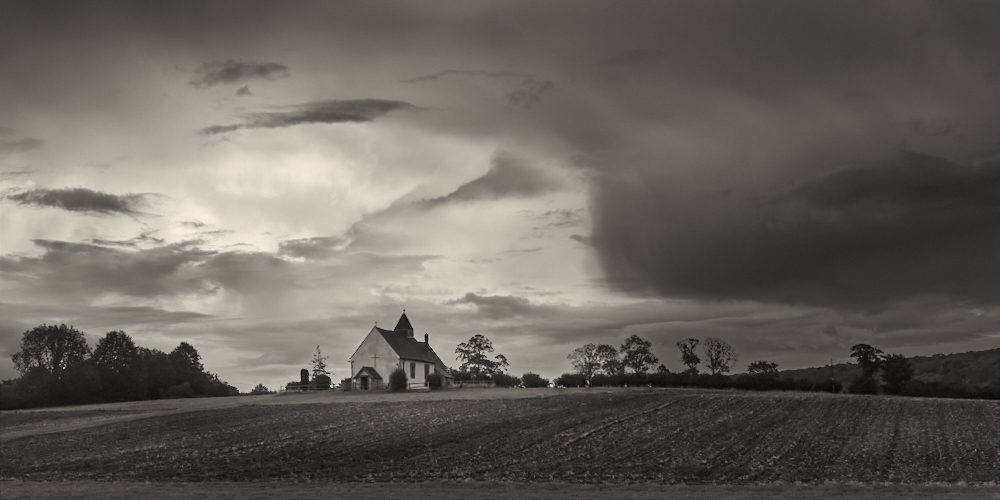
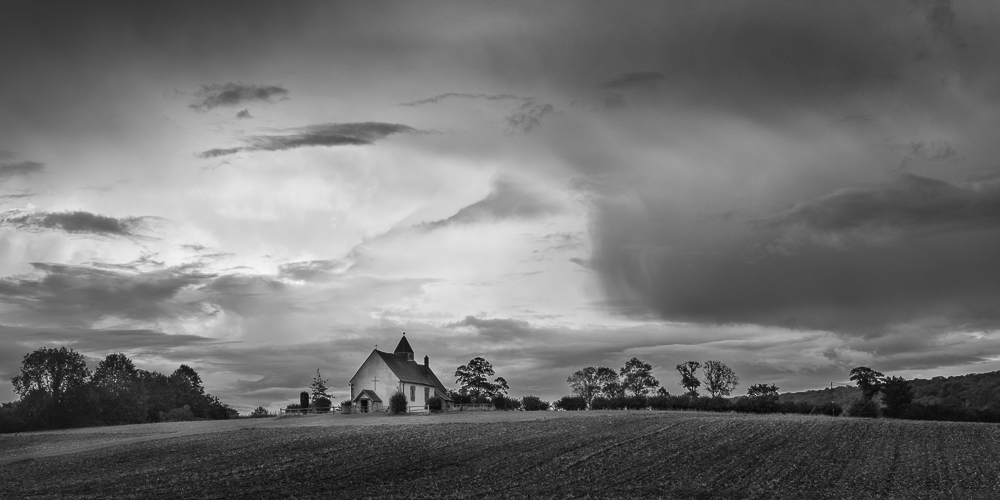
Yesterday I processed an image I had captured last week. A picture of Idsworth Church close to the Hampshire/Wets Sussex border. The dramatic sky was the appeal and I visualised a dark moody result. Taken with the M Monchrom I imported the file into Lightroom and followed my usual workflow. I always expose to preserve the highlights but this did leave me with a very dark foreground. From experience I know that I can readily recover detail in the shadows and balance the overall exposure. I couldn’t achieve the look I wanted in Lightroom alone, so I exported the partially processed image into Photoshop and from there into Silver Efex Pro. It was a lengthy process but in the end I made the image you can see below.

Don’t get me wrong I was pleased with the result but it was a long and drawn out process. It made me wonder how well I could do if I just used Capture One Pro? If only I could import the Leica RAW file I said to myself. I couldn’t resist the temptation, so yesterday I upgraded the software so that I could import the RAW file of any camera make and that of course included Leica. I was excited to find out how much could be achieved in Capture One Pro alone. Cutting to the chase I was not disappointed. In fact the results exceeded expectations. Why you may ask?

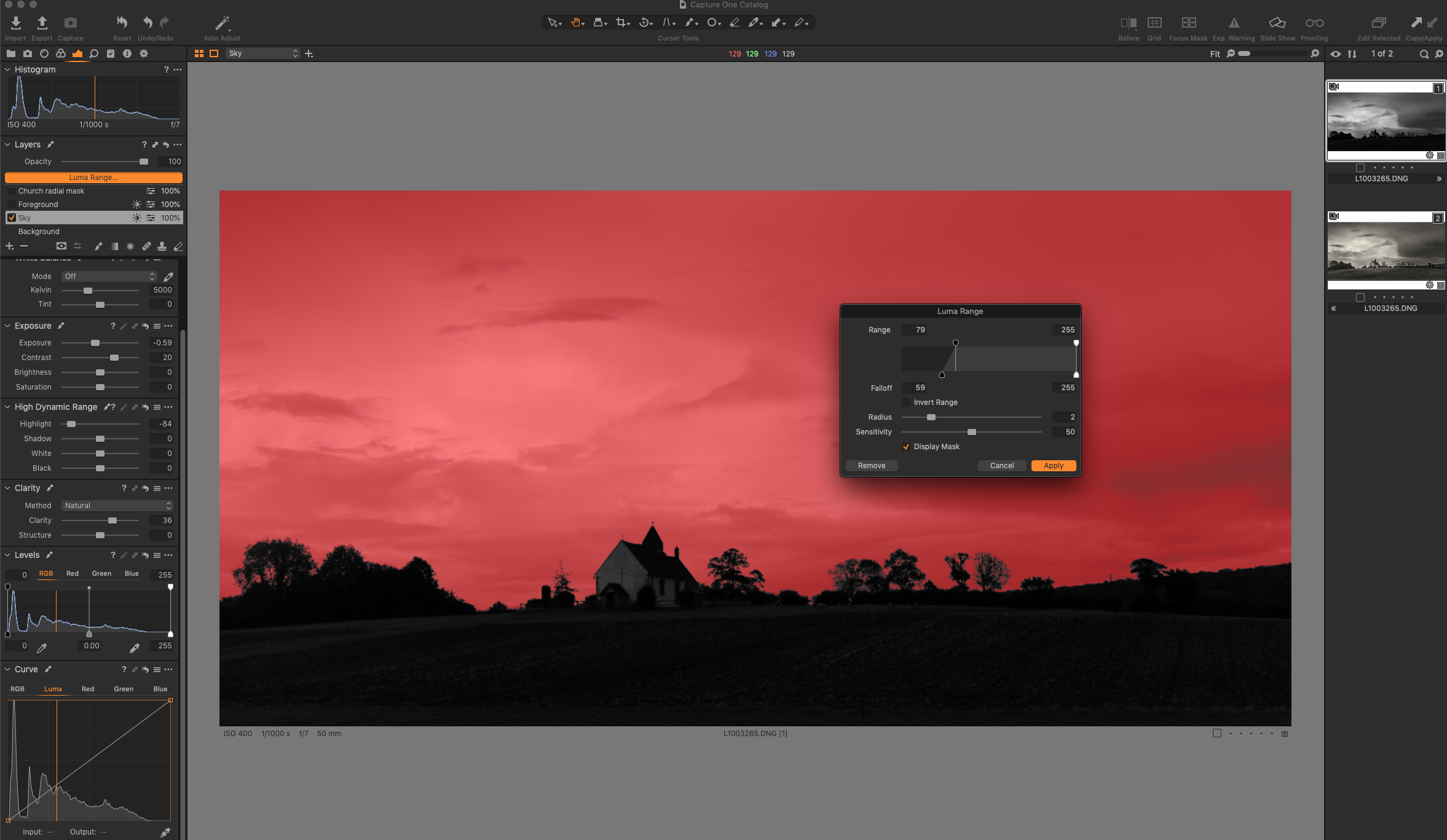
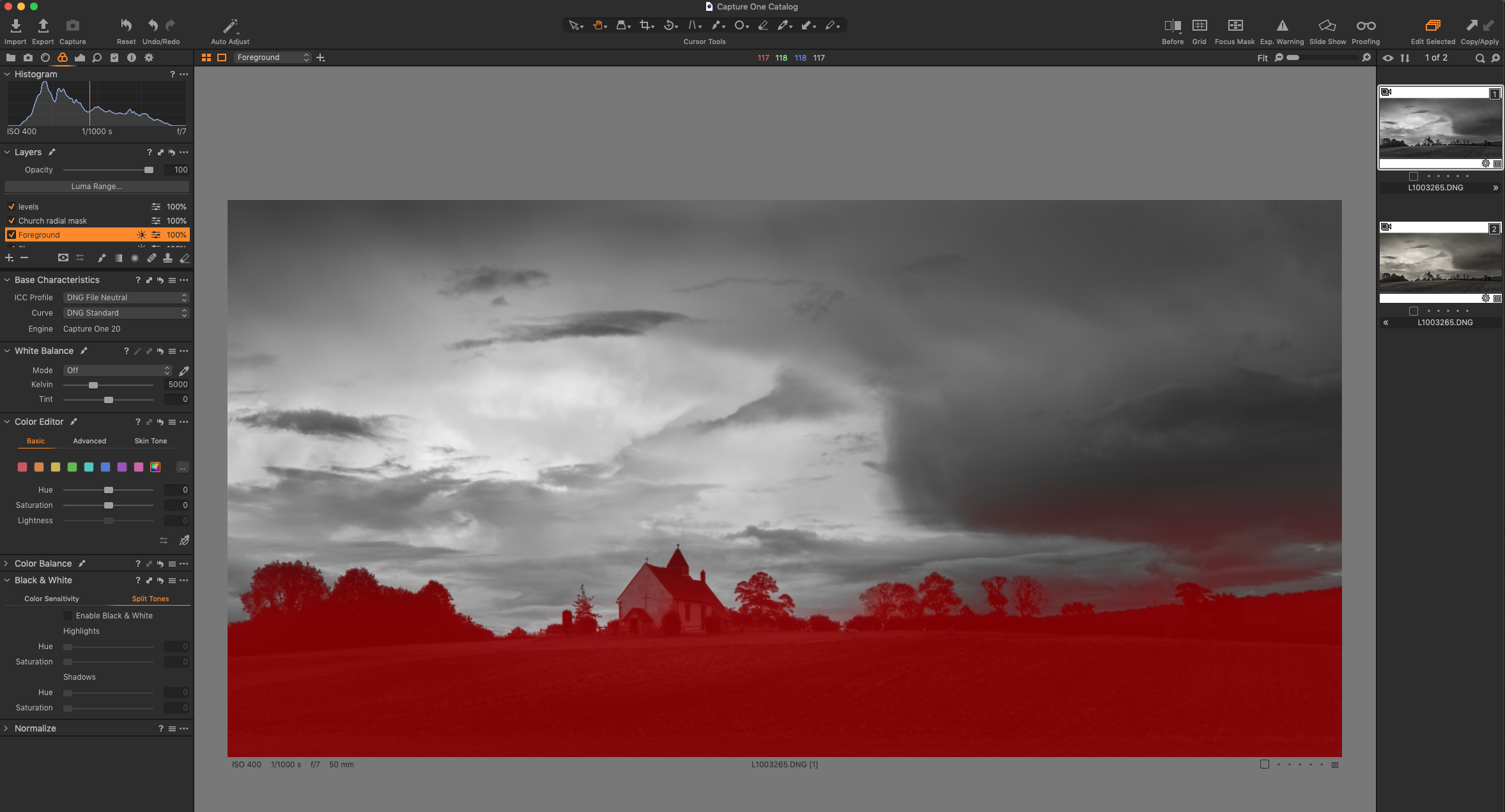
First and foremost I was familiar with the Luma Range tool in Capture One to create a mask. Yes, there is a similar tool in Lightroom but in my view it doesn’t do the job particularly well. The Luma Range tool of Capture One is far more refined, easy to use, and the ability to feather the edge around the trees and the church made masking the sky an absolute breeze. No nasty halos to worry about. A Luma range mask applied to the sky.

Having processed the sky to my liking it was a very quick and similar process to mask the dark foreground and make the necessary adjustments. I continued by making some further local adjustments on separate layers. This is something you cannot do in Lightroom, hence the need to export from LR into Photoshop.

Luma Range mask applied to the foreground.

Before and after view.

The before and after view clearly shows how the sky has been darkened and the church and foreground lightened. The overall result is quite dark and moody but that is what I wanted the finished image to look like.

The finished result processed in Capture One Pro.

And lastly I applied a split tone……

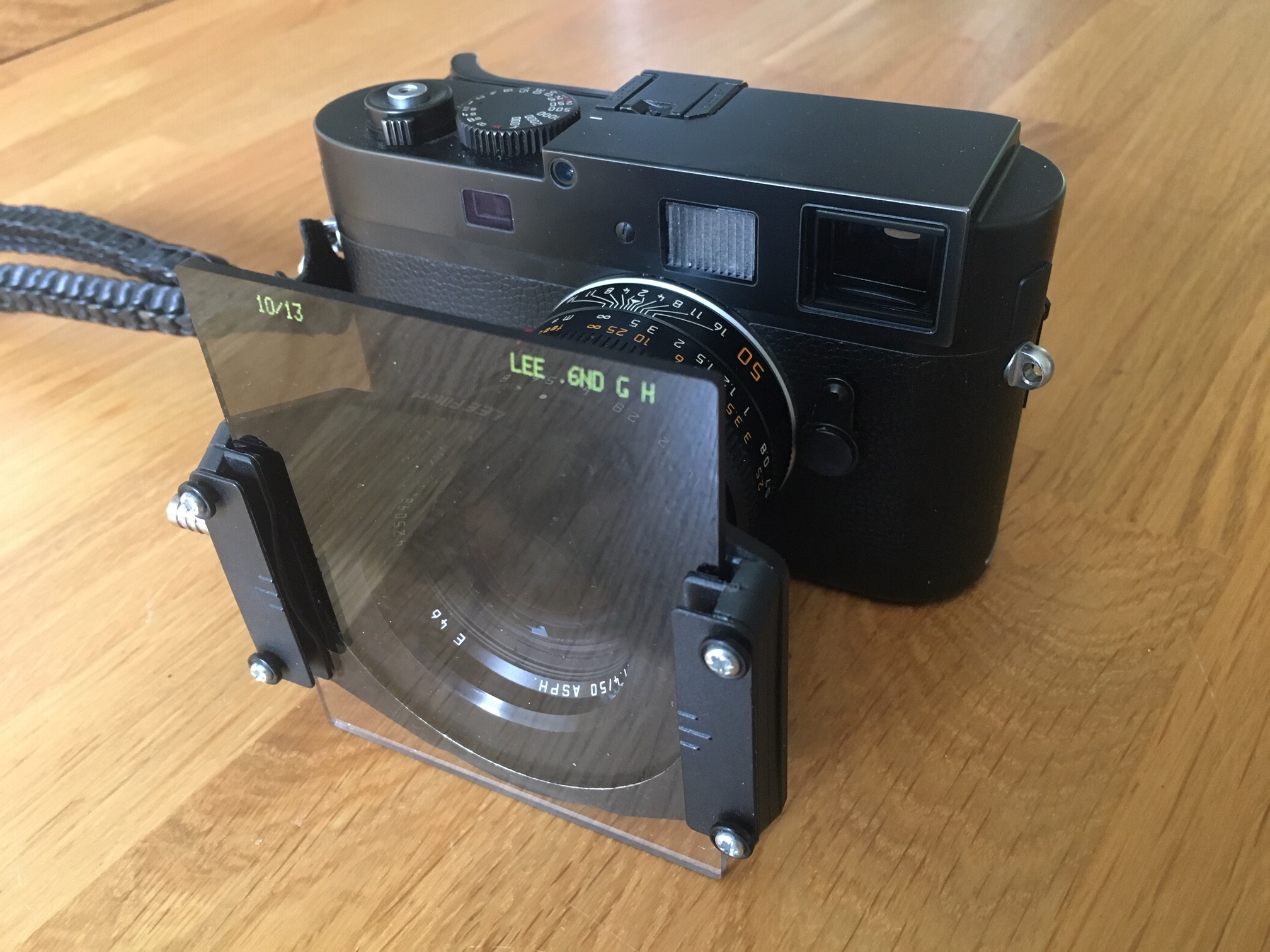
Some of you may be asking the question why didn’t I balance the exposure in camera by using a ND graduated filter. A fair point but a rangefinder camera with attached filters and no ‘live view’ is not a workable combination. The filter holder obscures the view through the rangefinder window and there is no way to accurately position the graduated filter to match the scene in front of you. More recent versions of the Monochrom, the M246 and the newly announced M10 Monochrom overcome this problem, as they both have ‘live view’ and can show clipping warnings before taking the shot. The use of a filter might of course further reduce the amount of post processing, but this on the proviso that the composition includes a relatively straight horizon.

Conclusions.

May I start by saying that I have the advantage of comparing the results of the two processing methods on a large screen at full resolution and not much smaller resized versions in a blog entry. Whilst I enjoy both versions the finished image processed in Capture One has the edge. It looks less processed, the rendering is smoother, it’s a cleaner result which should print very well. There is also visibly more noise or grain to the image from the combination of LR/PS and Silver Efex. Perhaps I used too much clarity in Lightroom or the processing engine in Silver Efex has had an effect, I don’t know for sure. What I do know is that Capture One Pro is a superb RAW converter.

Not only is the overall result more pleasing but the time taken was considerably reduced and far easier to achieve. In Capture One I also have the advantage of retaining all the layers and adjustments in one program, which means I can revisit and fine tune the image at a later date should I wish to do so. A win win, in my opinion.

So are the other programs consigned to history, well yes and no. This is the first time I have processed an image from the Leica M Monochrom in Capture One. I need to work on other images and see what results are possible. I also have a back catalogue of many thousands of images stored in Lightroom and I don’t intend moving them into Capture One. It would take a very long time and life is too short.

I am sure there will be occasions when a pixel editor like Photoshop will work wonders when Capture One simply doesn’t offer the functionality required. The ‘Content Aware’ healing brush is one such example and there will be others. Horses for courses. 

I can of course edit an image in either Photoshop or Silver Efex Pro direct from Capture One in the same way as I can at the moment with Lightroom. However if I can do most, if not all my processing in Capture One this has to be a distinct advantage. More consistent results are likely to be achieved and this is particularly valuable if trying to create a harmonious body of work.

And finally…..

This is the first time in quite a while that I have been out with the Leica M Monochrom specifically to make some images. It reminded me how much I love this camera, its handling, the superb lenses and the RAW files it generates. Having now discovered a new workflow using Capture One Pro 20, the process from beginning to end is that much more pleasurable and that has to be a good thing.


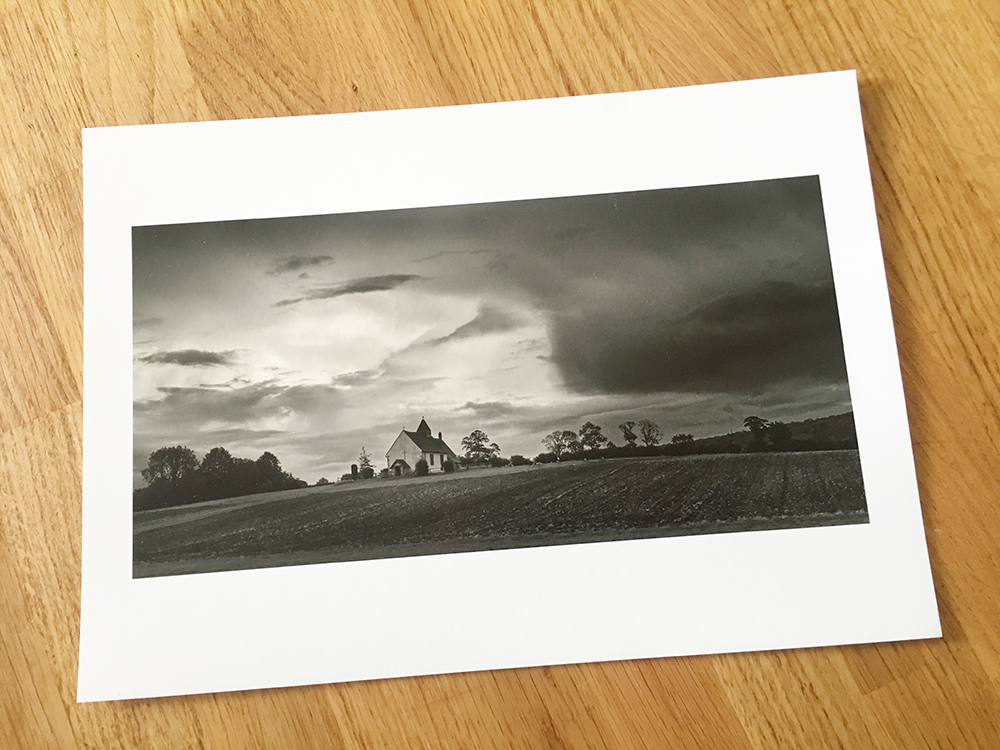
‘A photograph is not finished until it is printed’

Printed using an Epson 3880 on Canson Platine Fibre Rag 310gsm.