Posts by alan frost

Photographic workflow – Part 4 ….. the print is the performance.

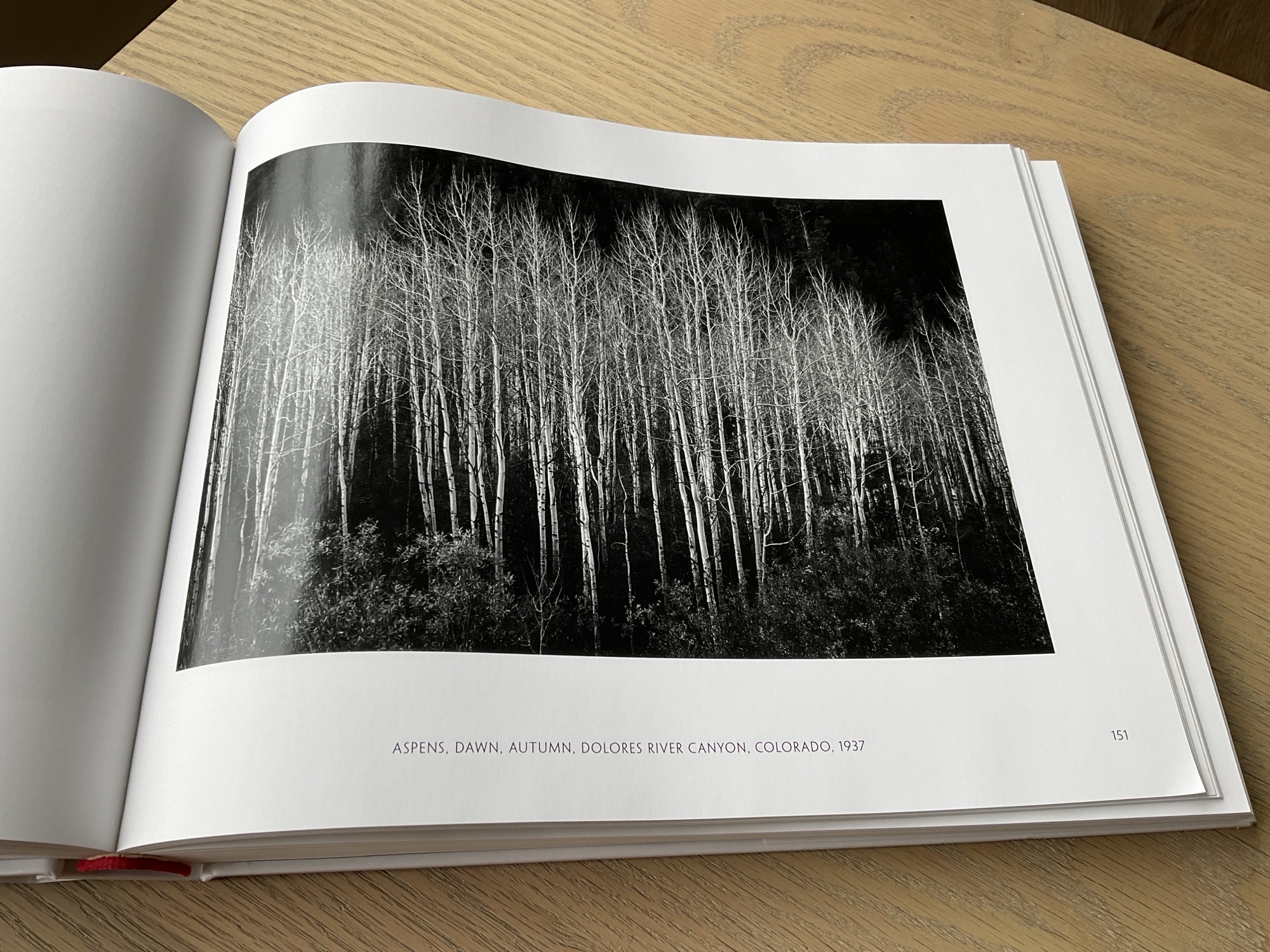
The great Ansel Adams is quoted as saying:

“The negative is the equivalent of the composer’s score, and the print is the performance

Or in this digital age, you can replace the word negative with digital or RAW file.

I can think of no better way to sum up the importance of printing your photographs. In the days of film (which still applies of course) any negative worthy of presentation was printed in the darkroom. Bathed in red light there was an air of anticipation and excitement, as the photographer gently washed developer fluid over the paper. And as if by magic the image would slowly start to appear.

The art of photography is only complete when the image appears on a sheet of photographic paper. This is when the captured image finally comes to life. You can hold it in your hand, feel the surface and weight of the paper and pass it around for others to see and enjoy. Leaving a processed image on a hard drive is no different to storing the negative strip in an envelope which never sees the light of day. In my opinion an excellent photograph, or just one of your favourites, should be printed.

In Part 4 of this series on photographic workflow I want to write about printing. This post has been delayed as I decided to buy a new printer which arrived this week and I thought it might be interesting to share with you the reasons why I chose an Epson SC-P700. I will go through how it is set up, the software I use for printing, my paper selection and lastly making the print.

( I have added the links to Parts 1, 2 and 3 of my photographic workflow at the end of the entry)

After a little research I decided the right printer for my purposes would be the Epson SC-P700. An A3+ photo printer using pigment inks. It’s quite compact and I liked its functionality. Ten or more years ago I bought an Epson 3880 A2 printer. It is still working but I don’t have the space for it in the room where I use my computer equipment. Besides my wife wanted a printer for her artwork, so I decided to treat myself.

I no longer want to print as large as A2, A3+ is plenty large enough. In additon to its reduced size and weight, perhaps the biggest advantage of the P700 over the 3880, is that it has separate ink feeds for the Photo Black and Matte Black ink cartridges. The Epson 3880 has one feed for both these cartridges. This means that whenever you want to switch between a gloss and a matte paper, the printer would have to change the feed from one cartridge to the other. It took time and in the process wasted a lot of ink.

I am still getting to know the new printer but I like the fact it has a semi-opaque top cover with a built-in light. This allows you to see the photograph as it’s being printed. It’s not as magical as being in darkroom but I enjoy it all the same. I no longer have to wait until the paper re-appears at the front of the machine to see how things are going. I also appreciate the pop up screen. It’s good quality and the touch menu is easy to navigate. Far more intuitive to use than the buttons and menu of the Epson 3880. It even gives you a historical readout of the prints you have made, the date and time it was printed and the settings used. Very useful. Time has moved on and you would expect the functions of a printer to improve and they have been with the P700.

I won’t go into any more detail about my decision making process, but I would like to thank Keith Cooper of Northlight Images for his incredibly helpful website and YouTube Channel. A commercial photographer based in the UK, what Keith doesn’t know about digital printing isn’t worth knowing. I have learned a huge amount from his insightful and very comprehensive articles and videos. There is a link below to his review of the Epson SC-P700 which includes a very useful section on how to set up the machine.

Out of the box to making my first print took me about an hour and a half. It connected to my WiFi network without any problem at all. Another big plus as I no longer have a long lead trailing across the carpet for me to trip over! Overall it was quite straightforward although I did need to delete and reinstall the Epson Print Layout software for it to recognize the printer. Once I had done this I was good to go.

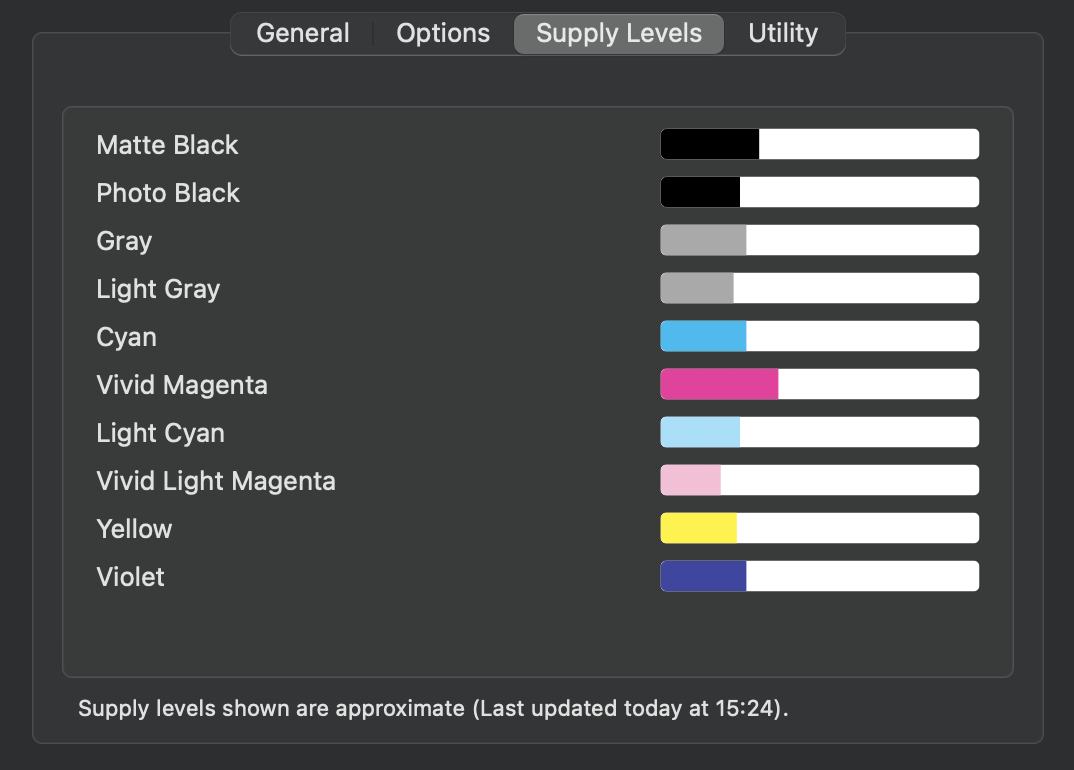
One further point – having installed the ink cartridges the initialization process takes about 15 minutes and Epson are quite transparent when they say this uses quite a lot of ink. The supplied cartridges are not full of ink out of the box, so I was quite pleased to see the remaining supply levels once the printer was set up. As I will rarely be printing in colour I just bought spare cartridges of the four Black/Gray inks. There should be sufficient colour ink to last me for quite a while. Keep in mind that even a black and white print will use some of the colour ink. Epson also supplies a spare maintenance tank, as the one included fills up quite quickly during the initialization apparently.

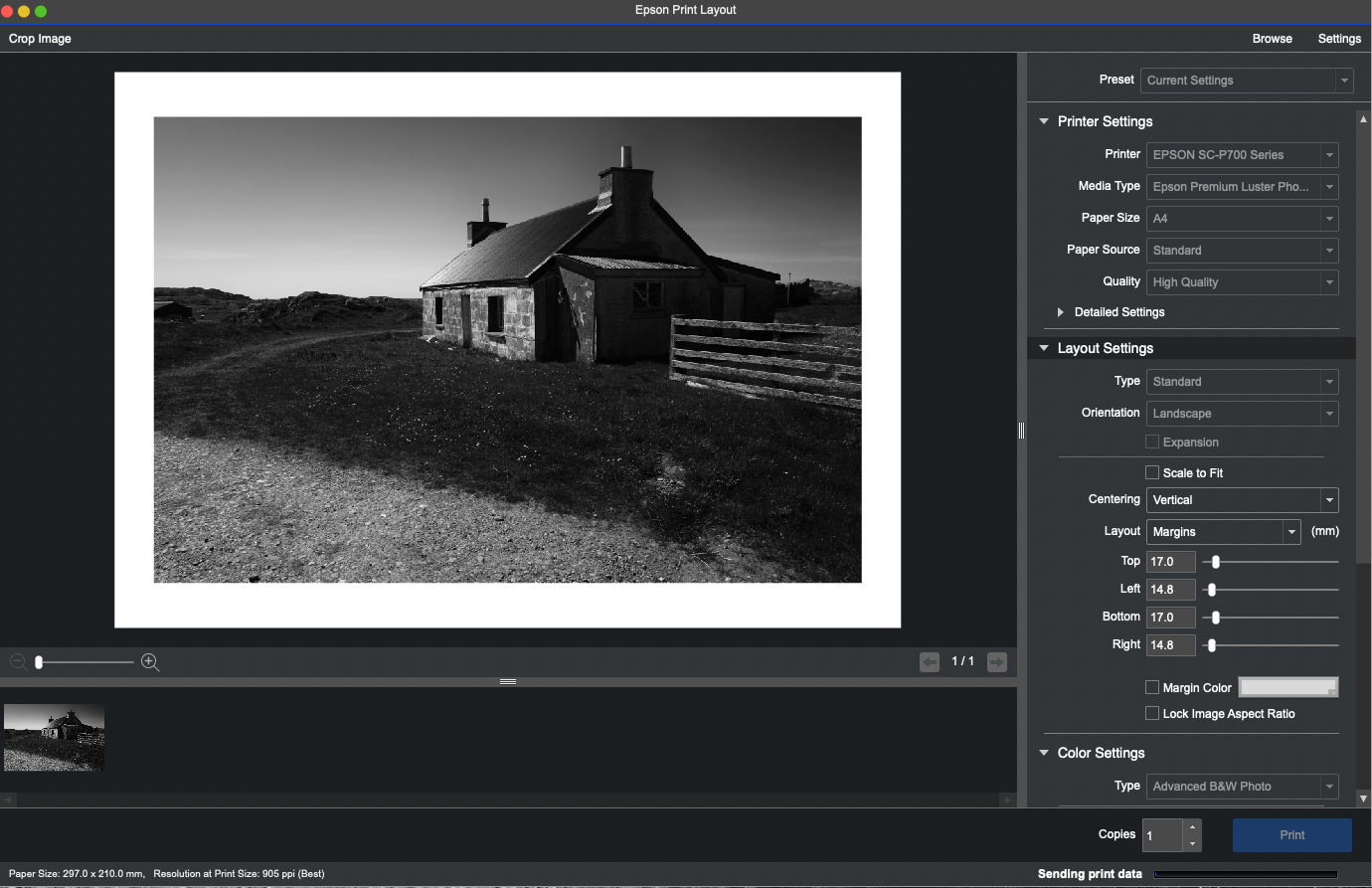
There are many ways to print from Photoshop, Lightroom, Affinity Photo or indeed Capture One which is my preferred RAW processor. However I think the simplest solution, and it suits my workflow, is to use Epson Print Layout. You can find out more about it and download the right version for your computer and operating system here – Epson Print Layout .

From Capture One I can select an image then ‘Open with’ Epson Print Layout. I have already ‘baked in’ all my adjustments and created a Tiff file. If this is not the case then to carry any adjustments across to Epson Print Layout which have been made in Capture One I need to ‘Edit with’. From there it’s simply a case of selecting the media type, paper size and so on. I then use the Advanced B&W Photo settings which are again very straightforward to use for printing in monochrome of course. I have rarely, if ever, used an ICC Colour Profile. In my opinion it’s just not necessary to get a truly great black and white print.

Epson Print Layout Software

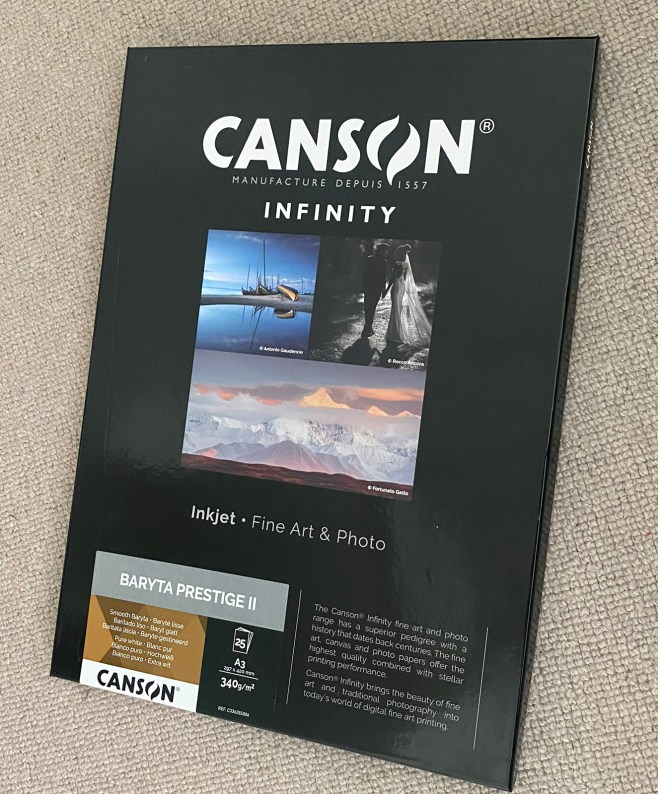
Before printing I had to choose the type of paper for the photos I want to print. Sounds obvious of course, but making the right choice has a significant bearing on the look of the finished photograph. There is a bewildering selection of papers from many manufacturers. They all offer a range of glossy, lustre, matte, fine art papers and the list goes on. Some have a slight texture and some are more suited to black and white than others. Test packs of various papers are useful but for the work I want to print I was looking for a paper that perhaps best mimicked a paper that would have been used in the darkroom. I selected a Baryta Paper by Canson, pictured here. (Baryta Prestige II). I have used Canson papers in the past and always liked the results. It’s quite a thick heavyweight paper at 340gsm, so it feels substantial in the hand.

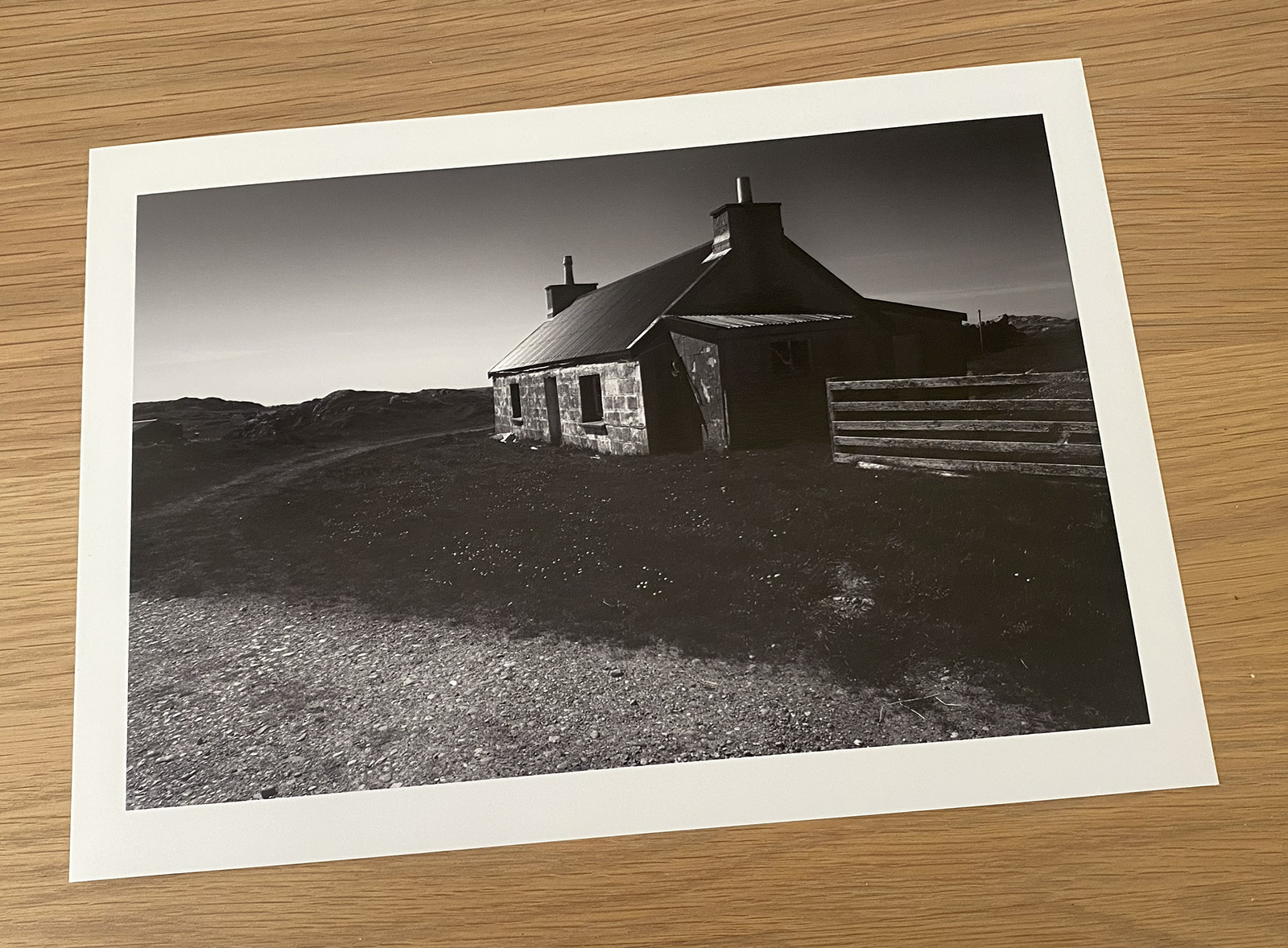
Having set up the machine I ran a quick test using an ordinary sheet of plain A4 paper. I ran this through the printer just to make sure it was working correctly. This gave me the confidence to use a sheet of Canson paper for my first print. I couldn’t have been more pleased with the result.

The first print
Very happy with result

For more information about printing on Baryta type papers do watch the video below. Again it’s by Keith Cooper of Northlight Images, and is well worth sparing some of your time. So too is the video giving his advice on Advanced B&W Fine Art Printing.

The next stage, and one which presents quite a challenge, is choosing which images to print. I know this is going to prove difficult as the cost of printing can’t be ignored. I will have to be quite ruthless in my selection and only print my favourite images. I did print a lot when I was submitting pictures for club competitions or on the few occasions I was going to exhibit my work. Those days are behind me now, so I simply want to print a selection of images for my own pleasure. I could have sent them to a photo lab but I much prefer printing my work. I feel more in control of the finished result.

I intend starting with a project which has been ongoing for some time now. Images of the Dorset landscape close to where I live. I had already printed contact sheets onto sheets of A3 paper as shown below. There are 140 photographs and more are still be captured. At a little over £3 per A3 sheet, not to mention the cost of the ink, printing all of them would be a very expensive exercise! I may decide to print more than one photograph per sheet. Epson Print Layout works well in this regard as you can easily set up and save templates for repeated use.

Which ones do I choose to print?

This post is already a rather lengthy one, and I am beginning to think the topic of collation, final selection, preparation for print, presentation and storage is a subject in its own right. So there may well be a Part 5 to this Photographic workflow series.

For now I hope you have found this post interesting and if you wish to look at Parts 1, 2 and 3 here are the links below.

Photographic workflow – Part 1 ….. Seeking inspiration

Photographic workflow – Part 2 ….. Image Capture ….. and why I chose to buy a Leica Q3

Photographic workflow – Part 3 ….. Processing in the digital darkroom ….. the before and after

Lastly let me remind you of where I started. To paraphrase Ansel Adams –

“The Raw file is the equivalent of the composer’s score, and the print is the performance.”

A photographic journey ….. Revisiting Buttermere in the Lake District after 12 Years

I ask myself – what took me so long?

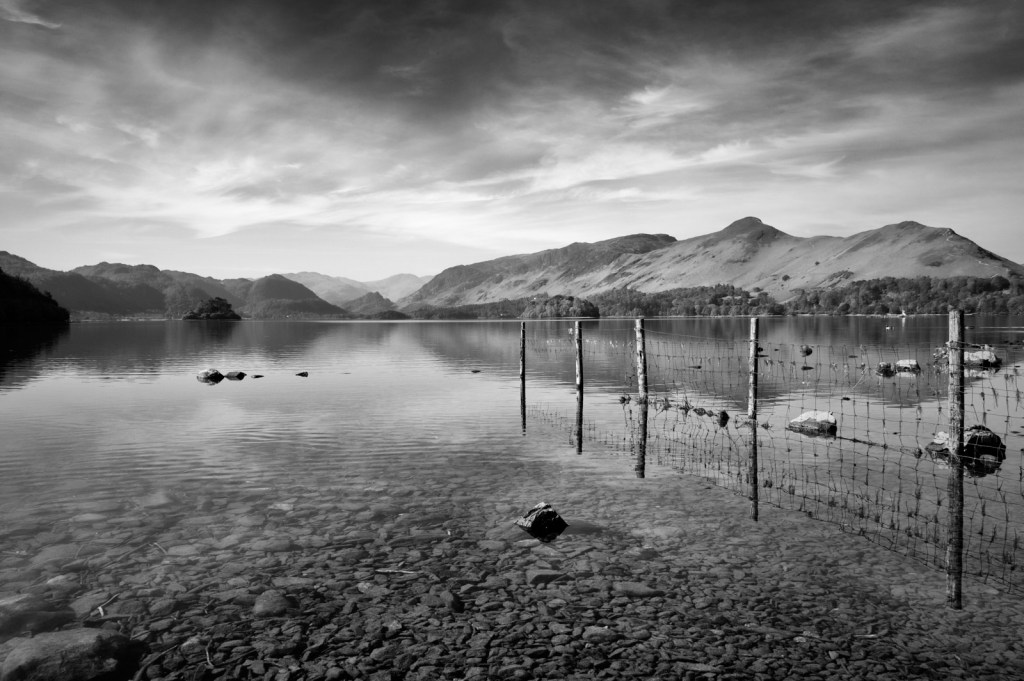
In all the years I have been making photographs, there have been certain locations which are deserving of the comment; ‘one day I hope to return’. The Lake District, and Buttermere in particular, definitely falls into this category and I hope you can understand why from the images you see here.

After a long interlude of twelve years, I am pleased to say that a few weeks ago I was walking along the shoreline of Buttermere once again. It was quite early in the day and although the sky was overcast, there were some bright patches of light reflecting off the surface of the water. In many respects these are ideal conditions for black and white photography.

Who knows but one day I would like to head to The Lake District again. If I do, I’ll try not leave it quite so long. After all none of us get any younger and to reach some of the best locations for photography it can involve quite a trek. Hopefully my legs will still get me there! If not these photographs and others captured during our stay will always serve as a reminder of this very beautiful place. That’s the great thing about photography. The images themselves do not have to be 10 out of 10. If all they do is bring back happy memories about a certain time and location, then pressing the shutter to record these moments is a very worthwhile thing to do.

Incidentally all these images were captured with the Leica Q3 and processed in Capture One and Nik Silver Efex Pro. After a few months in use I can truly vouch for what a great camera it is.

There will be more posts of the Lake District coming soon but in the meantime you might like to look at my Lake District Gallery Page. It shows a number of images from my previous visit to the area back in 2013.

Northbound again to the Lake District ….. patiently waiting for the editing to begin

This blog has been rather quiet recently for one very simple reason. I headed north to the Lake District and then up to Scotland for three weeks and I have now returned home. Whilst this trip was holiday first, walking and photography were the draw to head north to some of my favourite destinations.

In the past I would have taken a laptop with me and started editing and processing ‘on the hoof’ so to speak. But on this occasion I decided I would wait until I returned home. In some ways it would extend the holiday, as I could look forward to downloading the images and seeing what I had captured for the first time. Yes I could view them on the back of the camera but they look very different on a large monitor. I also think there is something to be said for allowing time for the images to gestate before any processing is undertaken. I have heard of some photographers who will wait months or even years before they edit a photograph. I am not that patient, but I do believe waiting a few weeks is beneficial. You approach the image afresh, perhaps seeing something in the picture which wasn’t immediately evident at the time the shutter was pressed. I do think a little time results in a better photograph.

The image above is of Derwentwater in the Lake District. It’s a scene I remember taking and I was keen to process the image. There will be many more of course, so as I work through the files, I am looking forward to sharing some of these with you in the coming weeks.

Two very special cars at the 82nd Goodwood Members Meeting

There were so many wonderful cars to see that it seems inappropriate to choose just two, but I will anyway.

The Ferrari Dino Spider 206S

The first is arguably one of the finest and you could say most beautiful racing Ferraris ever built, the Dino Spider 206S.

Introduced for the 1966 racing season only 13 spider versions were manufactured – making this a very rare and valuable car, so to see one racing at Goodwood was a very special moment.

The styling is a scaled down version of the revered Ferrari 330 P3. The 206S has a Formula 1 derived 2 litre V6 engine which revs to 9,000 rpm and has a very impressive power to weight ratio, as the car tips the scales at approximately 660kg.

I make no apology for including a selection of colour images – after all a Ferrari racing car can only ever be in one colour – red.

A beautiful car in my opinion.
During practice.
Garlands for the two drivers, and the scars to prove it was a tough race.
Battle scars.

The car took part in the Gurney Cup and won in magnificent fashion, coming from 16th place to be the first to cross the finishing line – although it did pick up some battle scars during the race when it rear-ended a Ford GT40.

You can watch the whole race by clicking on the official Goodwood video below.

Goodwood official video of the Gurney Cup at the 82nd Member’s Meeting

For more information about this car you might like to watch this short video by Max Girardo.

The 206S driven by Max Girardo of Girardo and Co
The Ferrari Dino Spider 206S captured during the practice session.

The second car is the John Player Special Lotus 97T. I have always loved the black and gold livery and Formula One cars of the 70’s and 80’s. But what makes this car so special is this was the very car driven to victory by Ayrton Senna at the Portuguese Grand Prix at Estoril in 1985. The Member’s Meeting coincided with the 40th anniversary of Senna’s maiden Formula One win in horrendous wet-weather conditions. He finished the race having lapped almost every other car in the field and was over a minute ahead of his nearest rival, Michele Alboreto in a Ferrari. It was a masterclass in car control; racing in conditions which today would almost certainly have stopped the race going ahead. The genius of Senna was established on that day 40 years ago.

It was a privilege for me to stand so close to this car in admiration of the not just the car but one of the all time greats, who sat behind the wheel and demonstrated his unique driving talent to the world.

John Player Special Lotus 97T
Ayrton Senna – one of the greatest racing drivers ever.
In admiration
Iconic Lotus 97T

At Goodwood the car was driven around the track by Ayrton’s nephew Bruno Senna.

Official Goodwood video of the Lotus 97T at the 82nd Member’s Meeting

Goodwood have also compiled a video of some of Senna’s greatest drives, which includes his maiden victory at Estoril. Well worth watching.

Official Goodwood video of Greatest Senna drives

If you enjoyed this entry then you might want to read my last post –

Am I a petrolhead? … capturing the spirit of the 82nd Goodwood Members Meeting

Am I a petrolhead? … capturing the spirit of the 82nd Goodwood Members Meeting

Vintage Bentley

The answer to the question is quite definitely yes. Ever since I was a young boy back in the 60’s I have had a passion for cars. From playing with Corgi toy cars on the carpet, to looking forward to the next monthly car magazine. When I reached the age of 17 I couldn’t wait to pass my driving test and then having my own car. I have very little engineering or mechanical knowledge and I greatly admire those that can service and bring a set of four wheels back to life but all cars both old and new appeal to me, more so when their engines come to life and to see them on a motor circuit.

A couple of weeks ago I attended the 82nd Members Meeting at Goodwood. The Festival Speed and The Revival Meeting are world famous events and I have been very fortunate to attend many of these meetings over the years years, however the Members Meeting is a smaller event by comparison. As well as fewer people there is full access to the paddock and sections of the track which are ordinarily out of bounds.

The range of machinery both on display and racing very competitively is quite extraordinary. Enthusiastic spectators watch great car control as they speed around the fast and challenging historic Goodwood circuit. From Edwardian cars in The S.F Edge Trophy to a shoot out of GT3 cars which were raced between 2006 and 2012. There is something for everyone.

Some cars from various eras are truly works of art only to become museum pieces or stored in an air conditioned garages as the owner watches their capital value increase over the years.

Goodwood doesn’t reflect this aspect of car ownership. Cars worth many hundreds of thousands of pounds are raced nose to tail by very skilled drivers. In other words they are still being used for their original purpose and long may this be the case. I am very aware we are entering a time of electrification in the car industry but it would be sad day if these celebrations of automotive history came to an end.

From a photographic point of view there is so much to see. Here are just a selection of images which I like to think capture the feel and atmosphere of the weekend.

Sunday 7.45am – Start/Finish straight before the day’s racing begins
Aston Martin ‘V12’ DBRS9
Detail of 1950’s Mercedes Benz SL
It’s always ‘Good’ at Goodwood
Hand painted number 17
Ready and waiting for next pit stop
No need to be reminded where these photographs were taken
Detail of a vintage Bentley badge and radiator grill
The Arundell Cup winners’ garland – the 1962 Cooper-Ford T59
The 2013 Porsche 997 GT3 R Evo

For more information and a video about the Porsche 997 at the Members Meeting – click here.

John Player Special Lotus 97T Formula One car which was driven by the late great Ayrton Senna
Gordon Murray Automotive T.50s Niki Lauda
The Gordon Murray Automotive commissioned Cosworth 3,994cc V12 engine for the T. 50s which red lines at an astonishing 12,100 rpm.

For more information about Gordon Murray Automotive – click here.

Waiting for the race to start – the S.F Edge Trophy for Edwardian cars
Porsche GT3 R Hybrid from the Intelligence Performance division
Detail on Vintage Bentley
3.5 litre Jaguar XK120 roadster from 1954

Click here for more information about the background to the above car.

Goodwood Attire
Often seen racing at Goodwood the Aston Martin DB4GT ‘lightweight’ driven by four-time Indycar Champion Dario Franchitti

Below are links to some other events I have photographed at Goodwood in previous years.

Bugatti Type 35 at the 81st Goodwood Members Meeting

Car details in mono at The Goodwood Revival

Goodwood Revival – the cars and the people

The Silver Arrows at the Goodwood Revival Meeting